
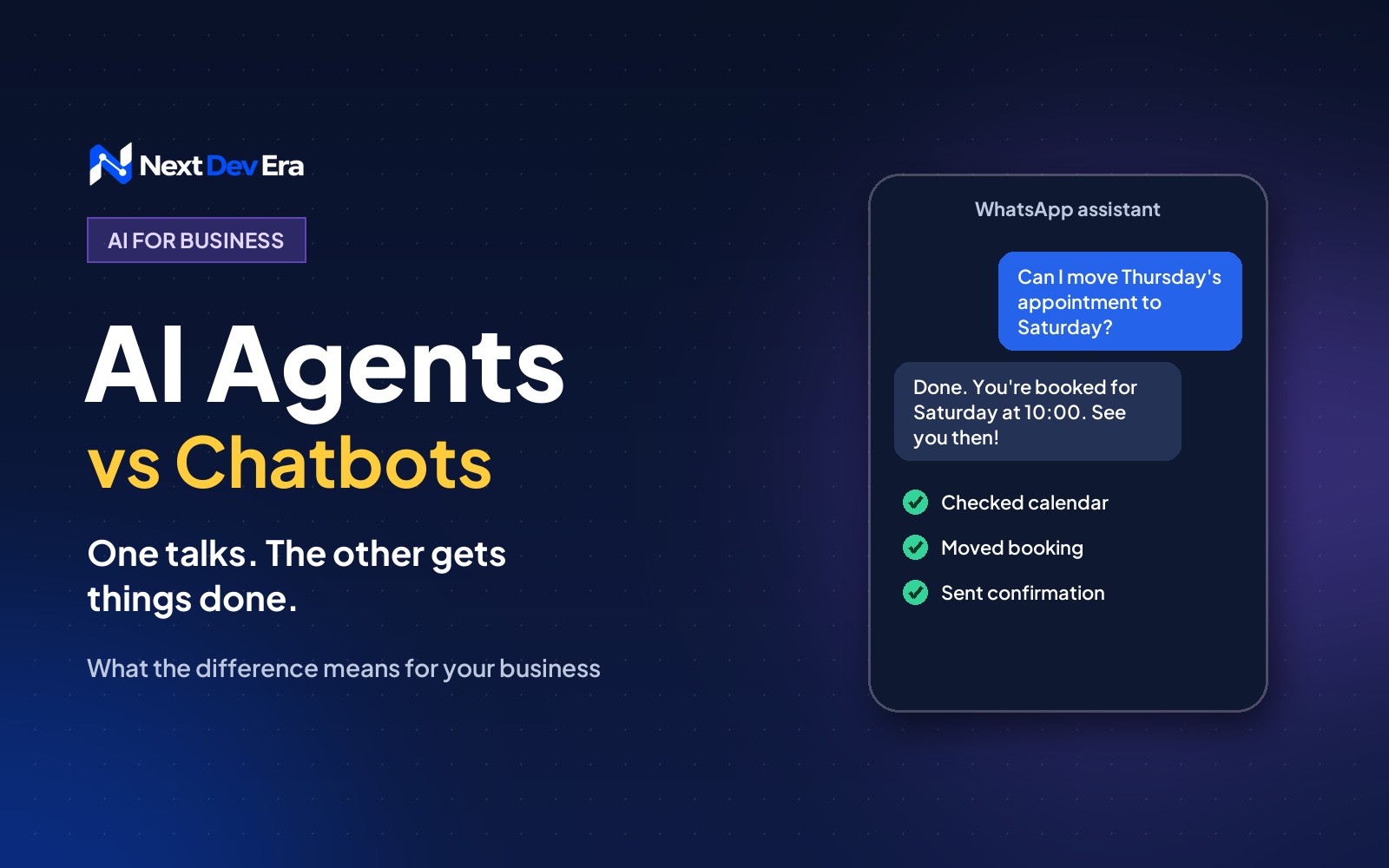
A chatbot answers questions. An AI agent can also take actions in your systems, like checking stock, booking appointments or updating orders, working through the steps on its own. Most businesses should start with a chatbot for common questions and lead capture, then add agent tasks one at a time.
A chatbot answers questions. An AI agent gets things done. That’s the short version of AI agents vs chatbots, and it’s the difference that matters if you’re deciding what to put on your website or WhatsApp line.
Both are built on the same kind of AI models. What separates them is what they’re allowed to do. A chatbot talks to your customer. An agent can also take actions in your systems, like checking stock, booking an appointment or updating an order, and it can work through several steps on its own to finish a task.
Below we explain the difference in practical terms, where each one makes sense for a business in the UAE, Saudi Arabia or Oman, and what to watch out for before you switch one on.
What a chatbot does
A chatbot is a conversation tool. Someone asks a question, it replies. Older chatbots followed fixed scripts (“press 1 for opening hours”). Newer ones run on large language models, so they understand questions written in normal language, in English or Arabic, and answer from the information you give them.
That’s genuinely useful. A good chatbot can answer the twenty questions your team hears every day: opening hours, prices, delivery areas, which branch is closest. It works at 2am during Ramadan when your team is asleep, and it never gets tired of explaining your returns policy.
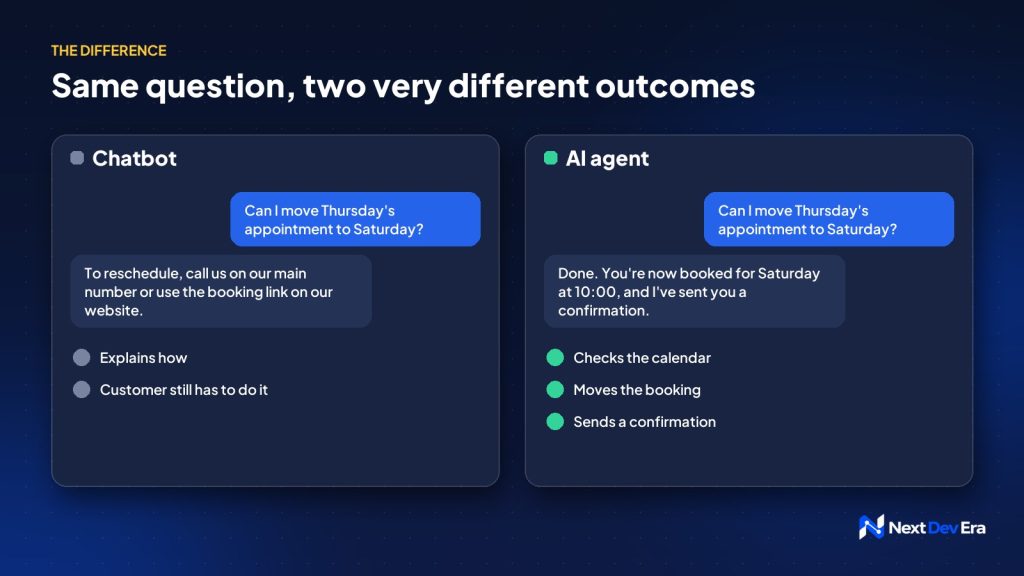
What it can’t do is act. If a customer asks it to move their appointment, a chatbot can tell them how, but it can’t actually move it.
What an AI agent does
An AI agent has the same conversational ability, plus access to tools. You connect it to your booking system, your CRM, your Shopify store or your inventory, and you decide what it’s allowed to do with each one.
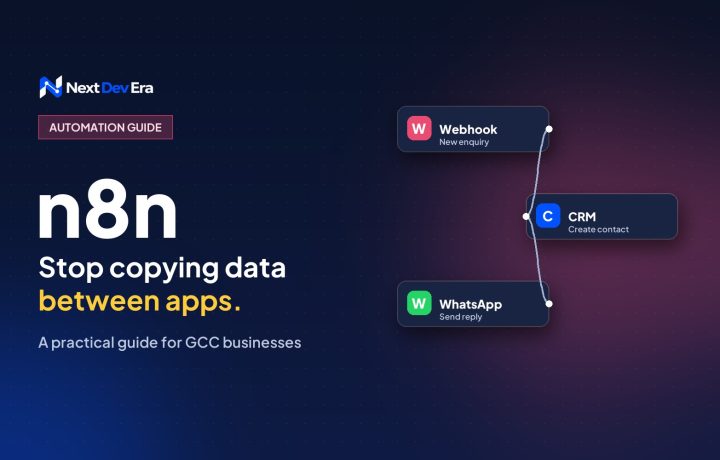
So when a customer messages “Can I move my Thursday appointment to Saturday morning?”, an agent can check the calendar, see that 10am is free, move the booking, and send a confirmation. It plans the steps itself, which is the “agentic” part people talk about. Behind the scenes, tools like n8n often do the connecting between the agent and your systems.
AI agents vs chatbots: which one do you need?
| Chatbot | AI agent | |
|---|---|---|
| What it does | Answers questions | Answers questions and completes tasks |
| Connects to your systems | Usually not | Yes: bookings, CRM, store, inventory |
| Setup effort | Days | Weeks, because each connection needs building and testing |
| Risk if it gets something wrong | A wrong answer | A wrong action, like a wrong booking or refund |
| Good first use | FAQs, lead capture, out-of-hours replies | Bookings, order tracking, simple changes customers can make themselves |
Most businesses should start with a chatbot that answers common questions and captures leads properly. Add agent abilities one at a time, starting with the task that eats most of your team’s day and is easiest to undo if it goes wrong. Order tracking is a good first candidate. Refunds are not.
Where they work well in the Gulf
A few places where we see the most potential:
- WhatsApp. In the Gulf, customers often message a business on WhatsApp before they’d ever fill in a form. An assistant on your WhatsApp Business line can answer straight away, any time, and hand over to a person when it’s needed.
- Clinics and salons. Booking, rescheduling and reminders are repetitive, rule-based and time-sensitive, which is exactly what agents handle well.
- Online stores. “Where’s my order?” is the most common question most stores get. An agent connected to your store and courier can answer it in seconds.
- Real estate. An assistant can qualify enquiries (budget, area, timeline) before a broker calls back, so brokers spend their time on serious buyers.
What to watch out for
The biggest risk is an assistant that sounds confident and is wrong. AI models can make things up, so limit yours to your own information and tell it to hand over to a person whenever it isn’t sure.
Arabic is the next thing to test properly. Test with the way your customers actually write, including Gulf dialect and Arabic typed in Latin letters, not just formal Arabic.
Then there’s data. If your assistant handles names, phone numbers or health details, the UAE, Saudi and Oman data protection laws apply. Tell people they’re talking to an AI, collect only what you need, and check where the provider stores conversations.
Finally, always give people a way out. Nothing frustrates a customer faster than being stuck in a loop with a bot. Make “talk to a person” easy to find.
How to get started
- List the 20 questions your team answers most often, and the five tasks customers most often ask for help with.
- Start with a chatbot that answers those questions from your own content and passes leads to your team with their details attached.
- Watch the conversations for a few weeks. They’ll show you what customers really ask and where the bot struggles.
- Pick one task to automate, connect the agent to just that system, and test it hard before you switch it on for customers.
- Add the next task only when the first one is working reliably.
A related question is whether AI assistants like ChatGPT recommend your business in the first place. That’s a different job, called AI SEO, and our plain guide to AI SEO explains how it works.
If you’d like a second opinion on where an assistant could save your team the most time, book a free 30-minute call and we’ll talk it through.

3 comments